> For the complete documentation index, see [llms.txt](https://docs.kiiglobal.io/docs/llms.txt). Markdown versions of documentation pages are available by appending `.md` to page URLs; this page is available as [Markdown](https://docs.kiiglobal.io/docs/kiichain-pay/introduction/kyc.md).

# KYC

KYC (Know Your Customer) is the gate that unlocks KiiChain Pay for an account. Until an account is verified it has **no Kii Wallets, no limits, and no access** to fiat rails. Completing KYC provisions the account's [Kii Wallets](/docs/kiichain-pay/introduction/internal-wallets.md) and sets its transaction limits.

{% hint style="info" %}
KYC gates **Kii Wallets, fiat on-/off-ramps and limits** — not the chain itself. A user can still run **DEX swaps** anonymously from their own external wallet with no account and no KYC. See [Internal wallets](/docs/kiichain-pay/introduction/internal-wallets.md#how-funds-move).
{% endhint %}

There are **two independent verification flows**:

1. **System KYC** — KiiChain Pay's own identity verification. Sets your **account level** and platform-wide limits. **Every account completes this.**
2. **Provider KYC / KYB** — occasional extra verification a specific provider may require, and only in certain cases and countries. **Most integrators never need it.** Covered [below](#provider-kyc-kyb).

## System KYC

### Account levels and limits

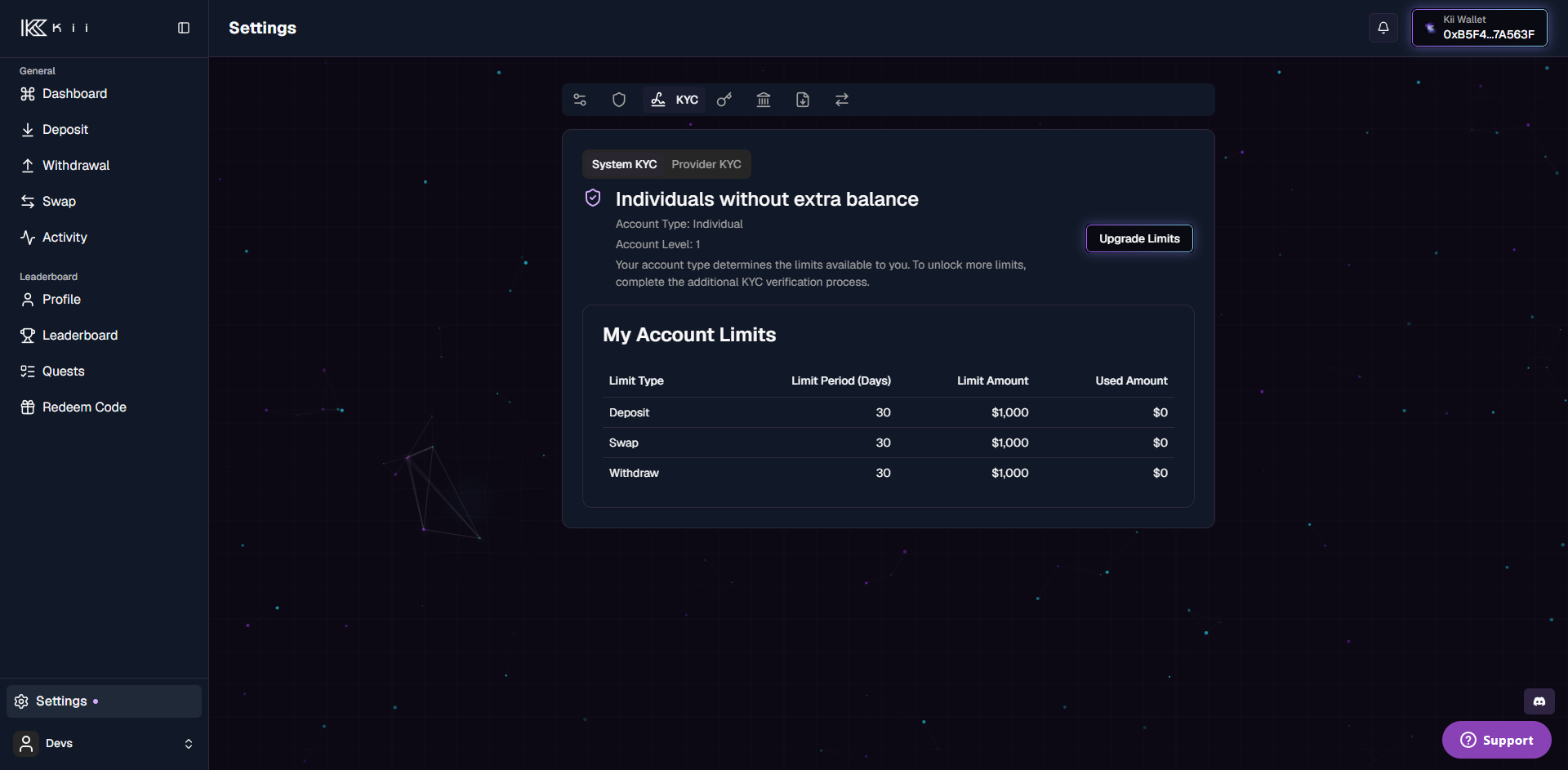
An account has a **level** (0, 1, or 2) and a **type** (individual or company). Level 0 means no KYC — no access. Levels 1 and 2 unlock rising limits, applied **per action** (`deposit`, `withdraw`, `swap`) in **USD** over a **rolling 30-day** window.

<table><thead><tr><th width="150">Account type</th><th width="100">Level</th><th>Limit per action (USD / 30 days)</th></tr></thead><tbody><tr><td>Individual</td><td>1</td><td>1,000</td></tr><tr><td>Individual</td><td>2</td><td>5,000</td></tr><tr><td>Company</td><td>1</td><td>10,000</td></tr><tr><td>Company</td><td>2</td><td>20,000</td></tr></tbody></table>

{% hint style="info" %}
Level 1 is granted on first successful verification. Level 2 is a limit upgrade you request after reaching level 1. Individual accounts that pass a company verification become company accounts.
{% endhint %}

### The verification flow

System KYC uses the **Sumsub** identity platform, embedded directly in the KiiChain Pay app.

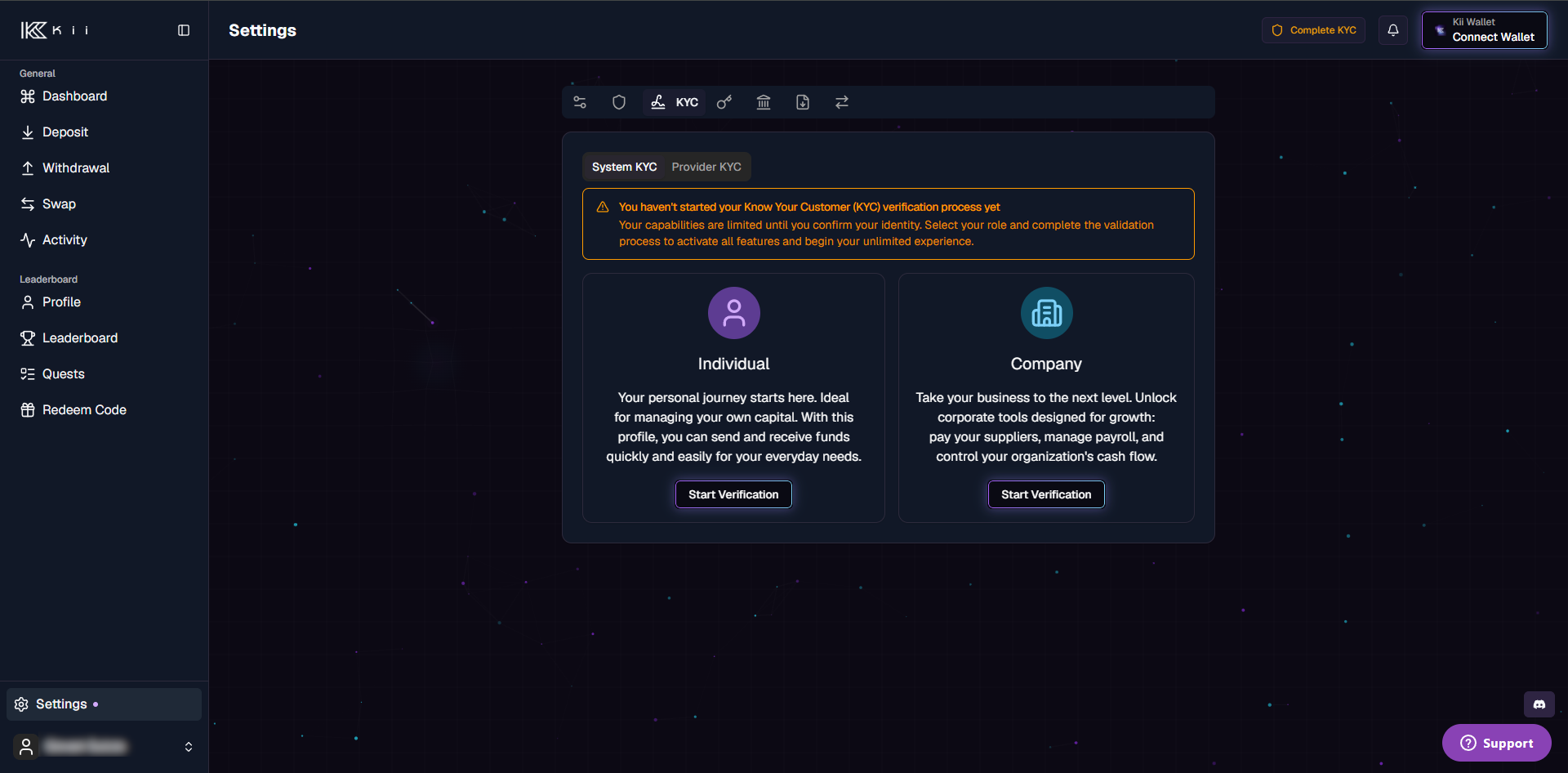
In the app, go to **Settings → KYC** and choose **Individual** or **Company** verification.

<figure><img src="/files/c5hDulrw3eOSlbaMt8ol" alt="Settings → KYC page, unverified"><figcaption><p>Settings → KYC: the <strong>Individual</strong> and <strong>Company</strong> verification options, before starting.</p></figcaption></figure>

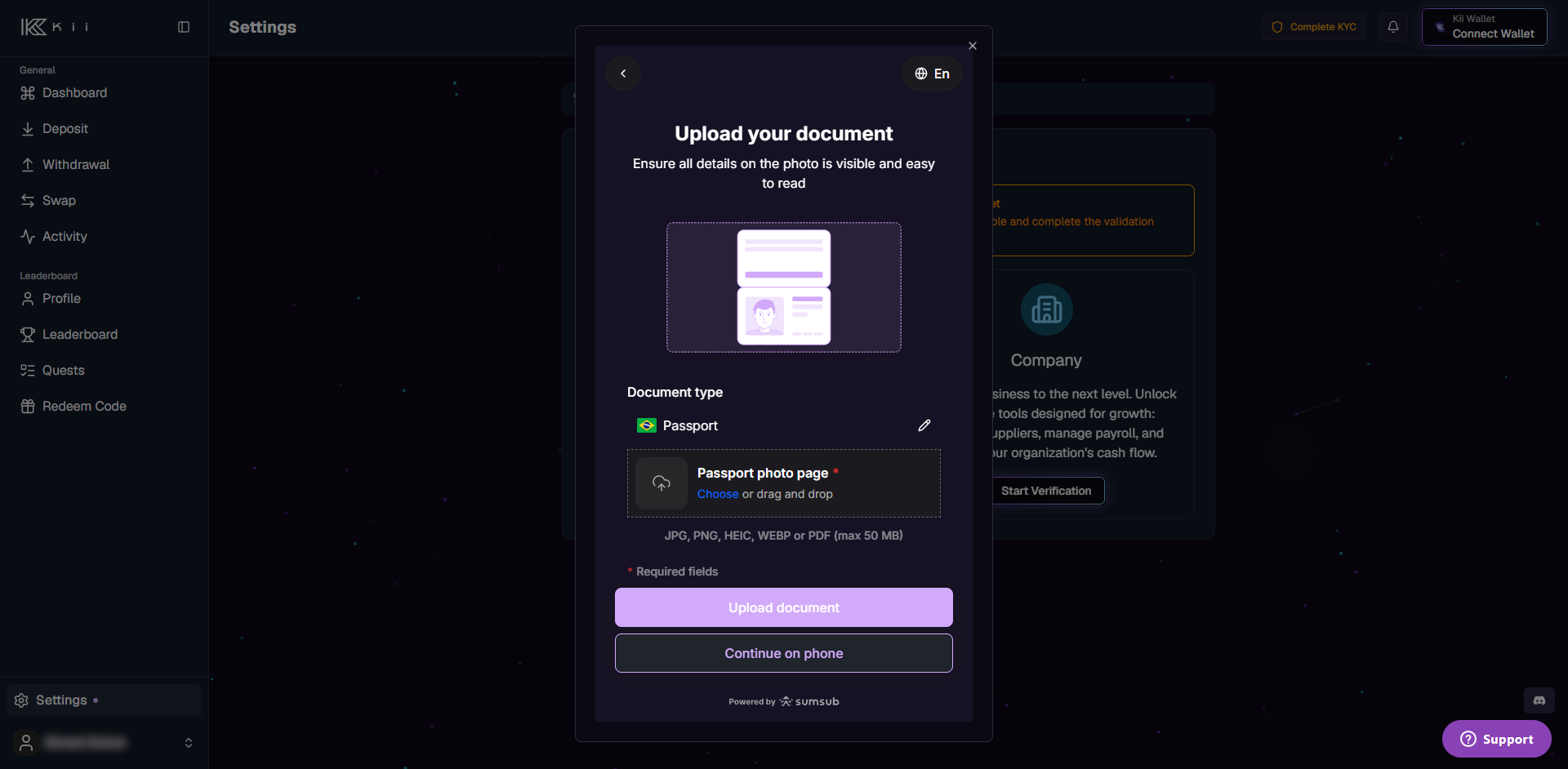
Starting verification opens the Sumsub flow, where the user completes identity checks (and, for companies, company documents).

<figure><img src="/files/htYBmXzA9Ugm47Ty3q4M" alt="Sumsub verification dialog"><figcaption><p>The embedded Sumsub flow — here, the document-upload step.</p></figcaption></figure>

```mermaid
flowchart LR
    A[Start KYC<br/>Individual or Company] --> B[Complete Sumsub checks]
    B --> C{Reviewed}
    C -->|Approved| D[Level set · Kii Wallets provisioned]
    C -->|Rejected| E[Resubmit or contact support]
```

When the review is approved, the account's level and type are set and its **Kii Wallets are provisioned automatically**. The verified level and current limits are then shown in the dashboard.

<figure><img src="/files/uffM52NggNgj3xAILUtq" alt="Verified account level and limits"><figcaption><p>Verified: account type, level, the per-action limits table, and the <strong>Upgrade Limits</strong> action (level 1 → 2).</p></figcaption></figure>

### Individual vs. company

* **Individual** verification requires personal identity documents.
* **Company** verification (KYB) additionally requires a **company name** and company documentation, and typically covers the authorized representative and the business itself. Company accounts receive higher limits (see the table above).

### KYC status

The dashboard surfaces a status for the verification — for example *not started*, *pending*, *completed*, *verified*, or *rejected* — with a contextual banner guiding the next step. A rejection may be final or ask the user to resubmit with better documents.

## Provider KYC / KYB

{% hint style="info" %}
**Most integrators can skip this.** System KYC (above) is all you need in the common case. Provider KYC is required only in very specific cases and specific countries, where a third-party on-/off-ramp provider imposes its own compliance requirements. **You don't need to seek it out in advance** — when a transaction needs it, KiiChain Pay prompts you to complete that provider's verification.
{% endhint %}

Some on- and off-ramp providers are third parties with their **own** compliance requirements. In those cases, an account must complete that provider's KYC (or KYB, for companies) before transacting through it — this is **separate** from system KYC above, and it's requested only when needed.

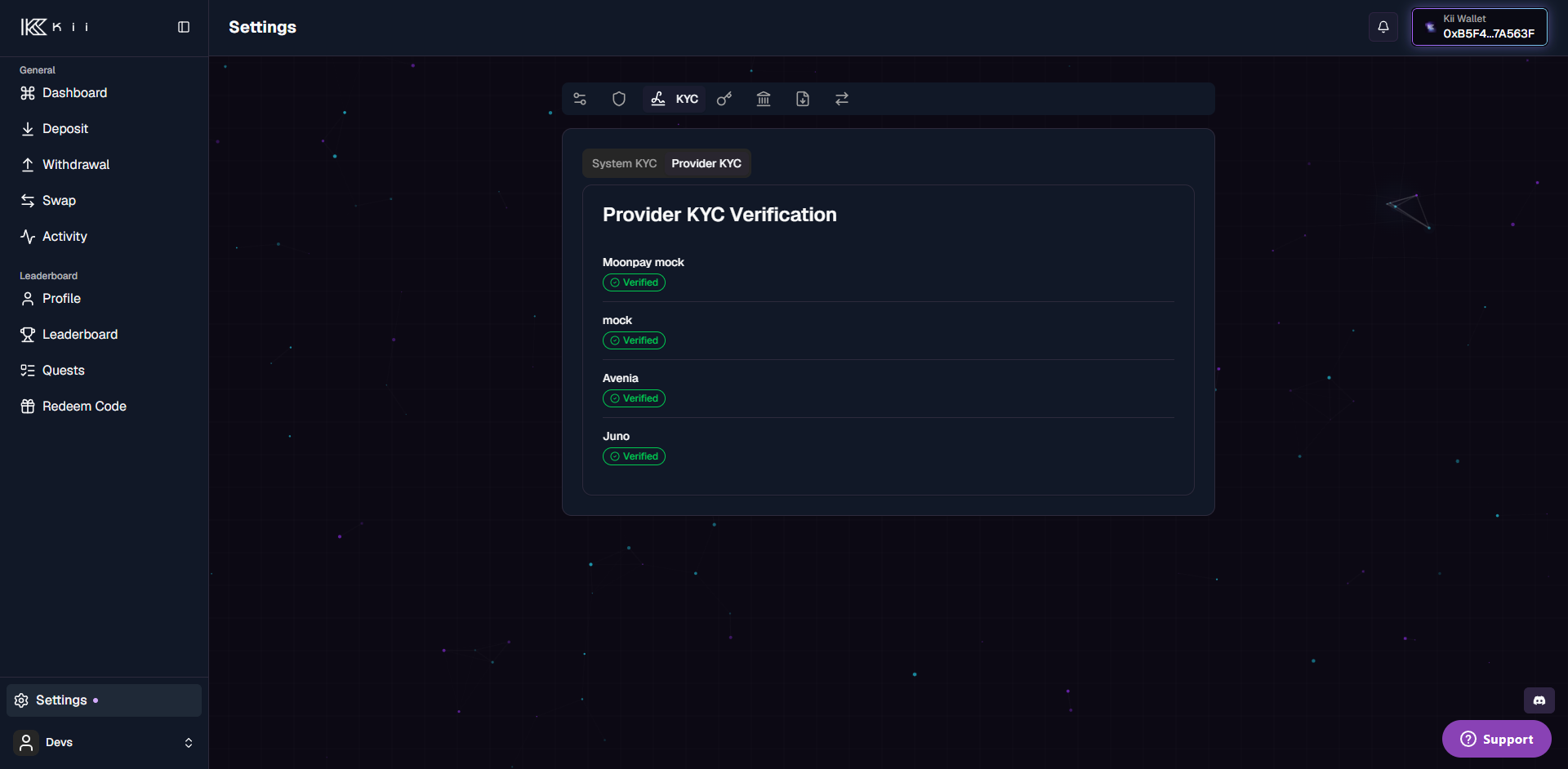
When it applies, the **KYC** page's **Providers** tab lists the relevant provider with its verification status (e.g. *pending*, *processing*, *verified*, *rejected*).

<figure><img src="/files/8itEg12xqBNBqVJhXXvN" alt="Provider KYC tab"><figcaption><p>The <strong>Provider KYC</strong> tab, listing each relevant provider with its verification status.</p></figcaption></figure>

When prompted, starting provider verification opens the provider's flow (a redirect rather than an embedded SDK). **Company (KYB)** accounts complete an extra step — an authorized-representative flow plus a basic company-data step — whereas individuals complete a single flow.

{% hint style="info" %}
Provider verification is per provider: verifying with one provider does not verify you with another. When a provider is required, check its status before routing a transaction through it.
{% endhint %}

## Next steps

* [Internal wallets](/docs/kiichain-pay/introduction/internal-wallets.md) — provisioned automatically once system KYC is approved.
* [Creating an on-ramp](/docs/kiichain-pay/guides/quick-start/creating-an-on-ramp.md) — where provider KYC may come into play.


---

# Agent Instructions
This documentation is published with GitBook. GitBook is the documentation platform designed so that both humans and AI agents can read, navigate, and reason over technical content effectively. Learn more at gitbook.com.

## Querying This Documentation
If you need additional information that is not directly available in this page, you can query the documentation dynamically by asking a question.

Perform an HTTP GET request on the current page URL with the `ask` query parameter, and the optional `goal` query parameter:

```
GET https://docs.kiiglobal.io/docs/kiichain-pay/introduction/kyc.md?ask=<question>&goal=<endgoal>
```

`ask` is the immediate question: it should be specific, self-contained, and written in natural language.
`goal` is optional and describes the broader end goal you are ultimately trying to accomplish on behalf of the user. GitBook uses it to tailor the answer towards what is most useful for that goal.

The response will contain a direct answer to the question and relevant excerpts and sources from the documentation.

Use this mechanism when the answer is not explicitly present in the current page, you need clarification or additional context, or you want to retrieve related documentation sections.